 Gapboard
Big rocks first.
Sized in minutes, placed in a day, stacked from the top. When the week is full you can see it on Monday, not feel it on Thursday.
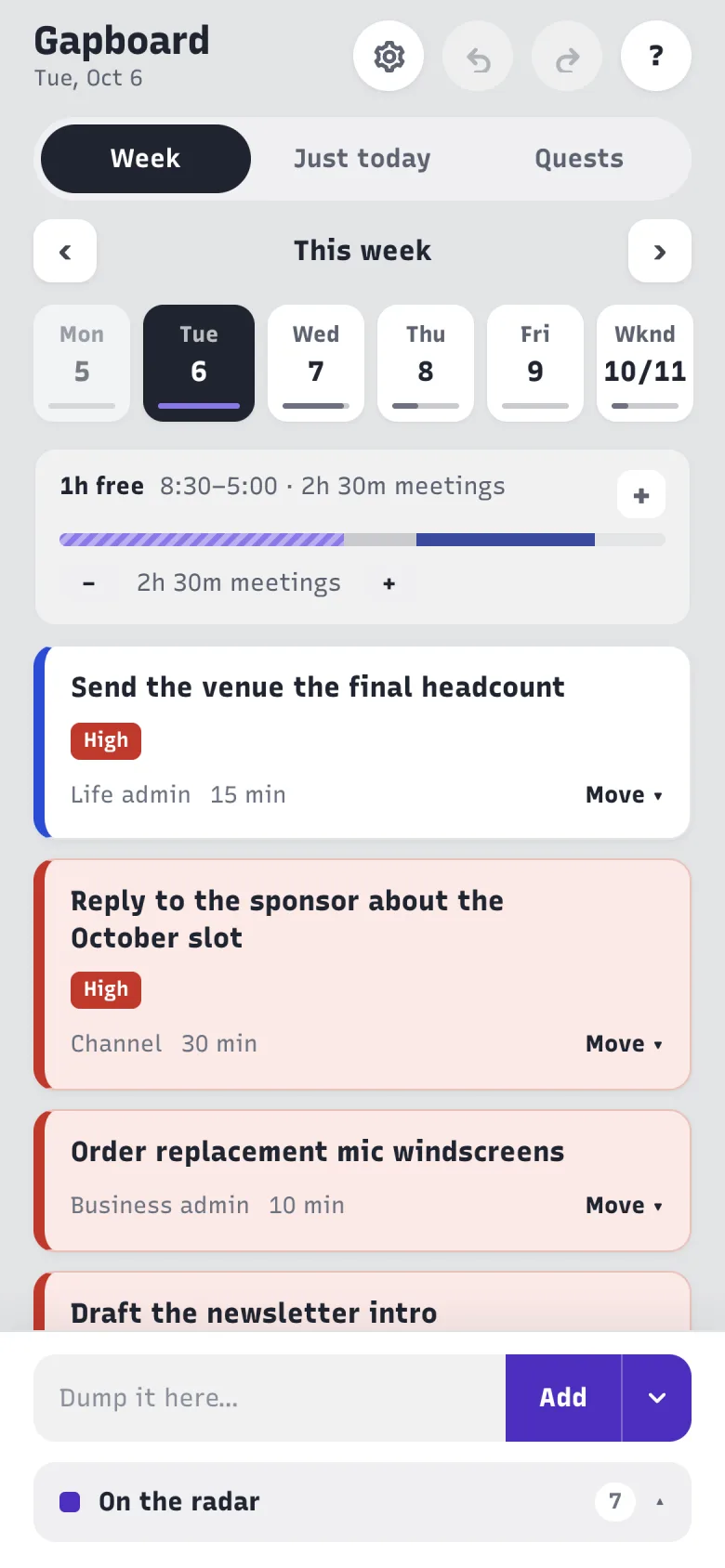
Give each task a size and Gapboard shows the room you really have. The big things get put in first, and everything else falls where it fits — no hour-by-hour scheduling, no calendar to defend.
Free for good. No card. iPhone and web.
You worked all week. The thing that mattered didn't move.
The list was never too long — the week was always too short, and nothing told you by how much.
Sized in minutes, placed in a day, stacked from the top. When the week is full you can see it on Monday, not feel it on Thursday.
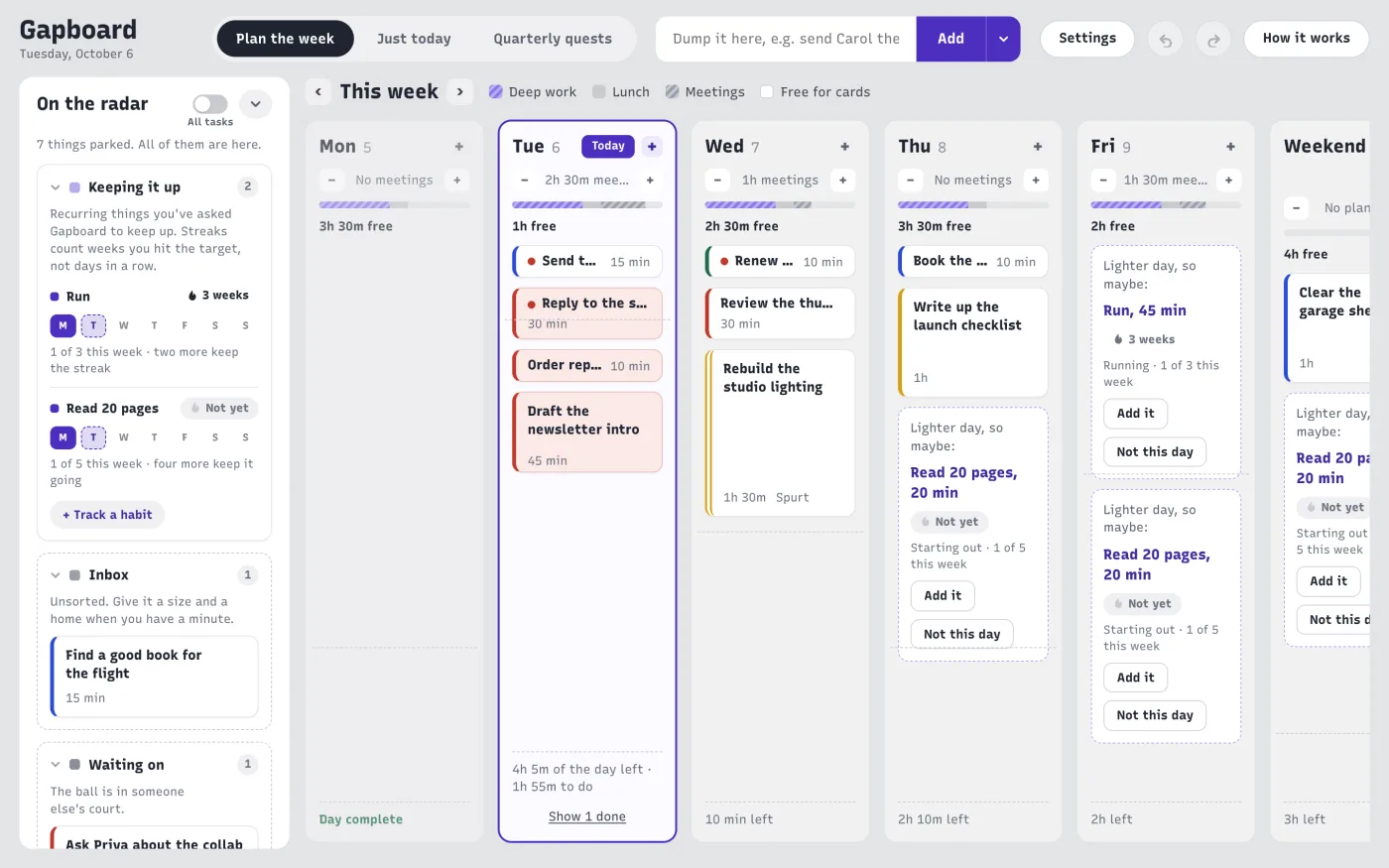
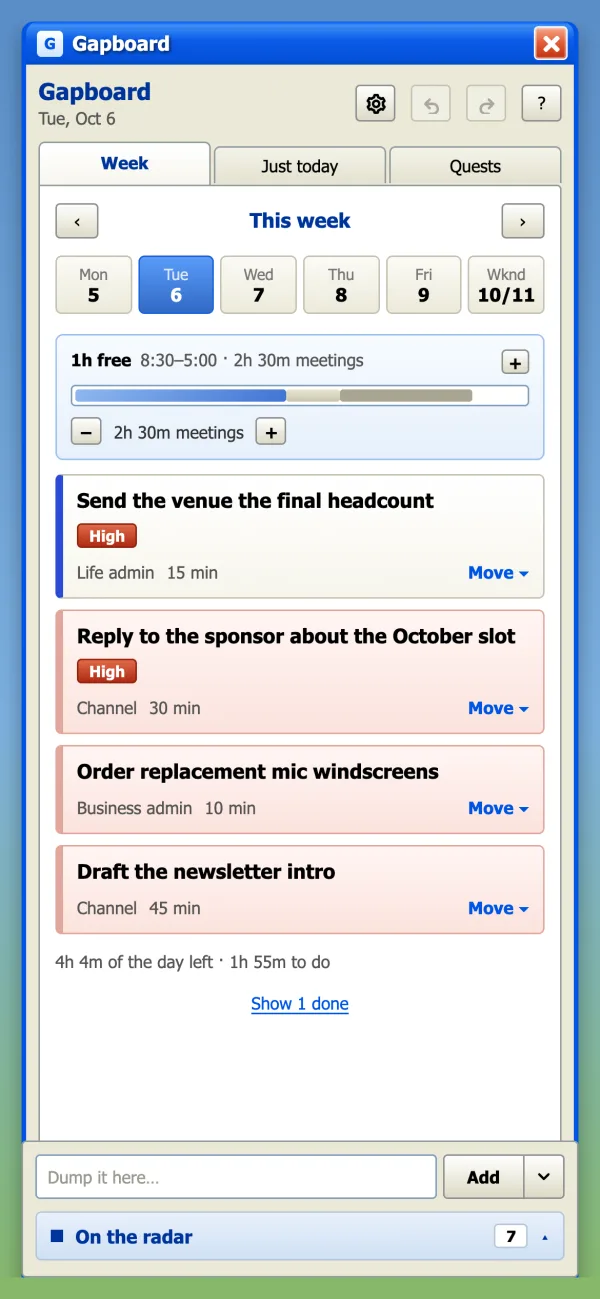
Cards past the dashed line don't vanish or get marked late. They show you this day is full; move one and the rest fits.
One radar holds all of it, folded into areas and never hidden — counts always showing. If it isn't on the board, it isn't a thing.
Another quarter ends and the big project still hasn't moved.
Sunday night dread about a list with no bottom.
A wall of red "overdue" that makes you avoid the app entirely.
Busy every day, done with nothing that mattered by Friday.
Planner number five, abandoned by week three.
I have moderate ADHD. I'd tried Todoist, Notion, a paper planner, and a calendar full of blocks I ignored by Tuesday. The problem was never organising harder — it was that nothing showed me how much week I had left. So I built the board I needed, and I plan every week in it. This is it.
Your hours, your lunch, the time that always goes to email and conversations. Two minutes, once.
Give them a size and drop them on a day. The column fills; the dashed line tells you the truth.
Quick-add everything else to the radar. Got a gap? The board offers only what fits it.
After three bounces the card gets a dashed border and offers to split off a 10-minute first step, so starting is the only job.
Finishing a spurt on a project asks for a one-line breadcrumb, so the next session starts where you stopped instead of with ten minutes of re-reading.
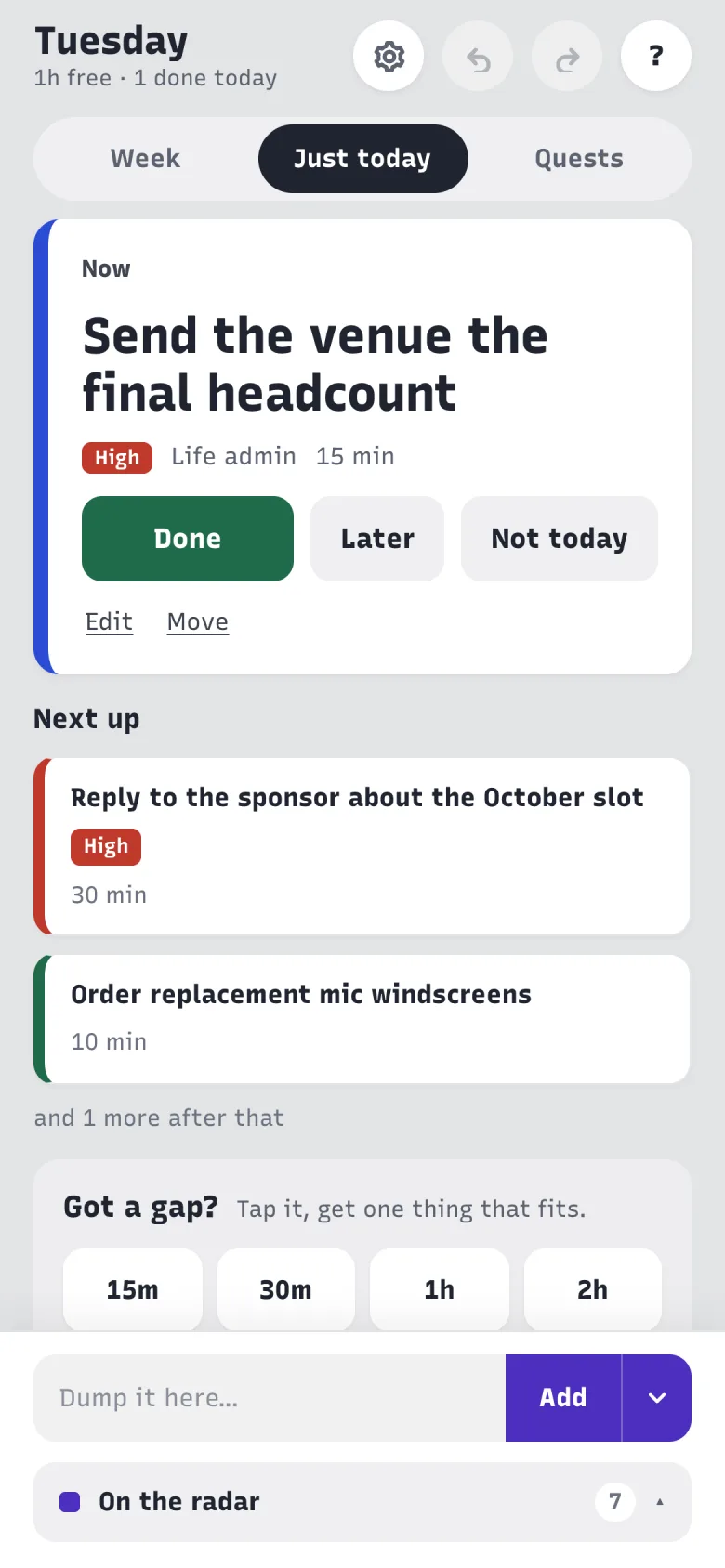
Got a gap? Pick 15 min, 30, 1 h or 2 h, and the board shows only what fits.
Folded, never hidden: every radar section keeps its count and a peek, and the status line says where everything is.
Set tomorrow moves what's left forward in one press, with no guilt and nothing turning red. On Monday the board asks what last week left behind, instead of sweeping it up.
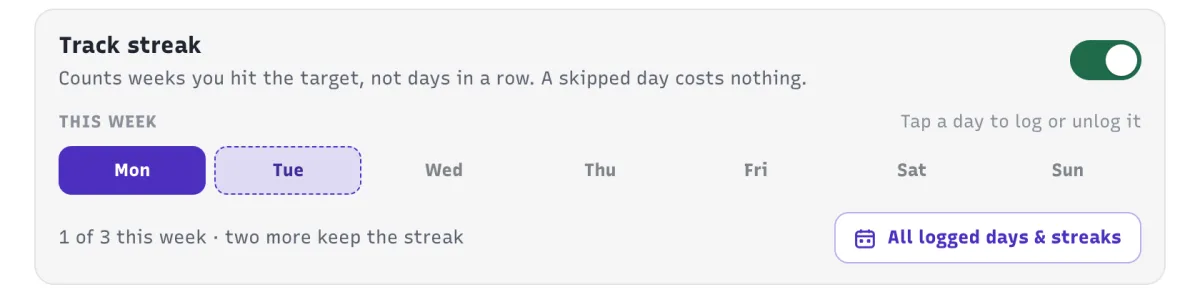
Streaks count weeks you hit your target, never days in a row. A missed Tuesday costs nothing; a broken run goes grey and keeps its best.
A morning look at the day, an evening "Set tomorrow?", and a word on the last day a habit's week still has room, on your phone and desktop.
Every card is drawn at its real size in minutes, and today's footer weighs the clock against what's left: "1 h of the day left · 2 h 10 m to do".
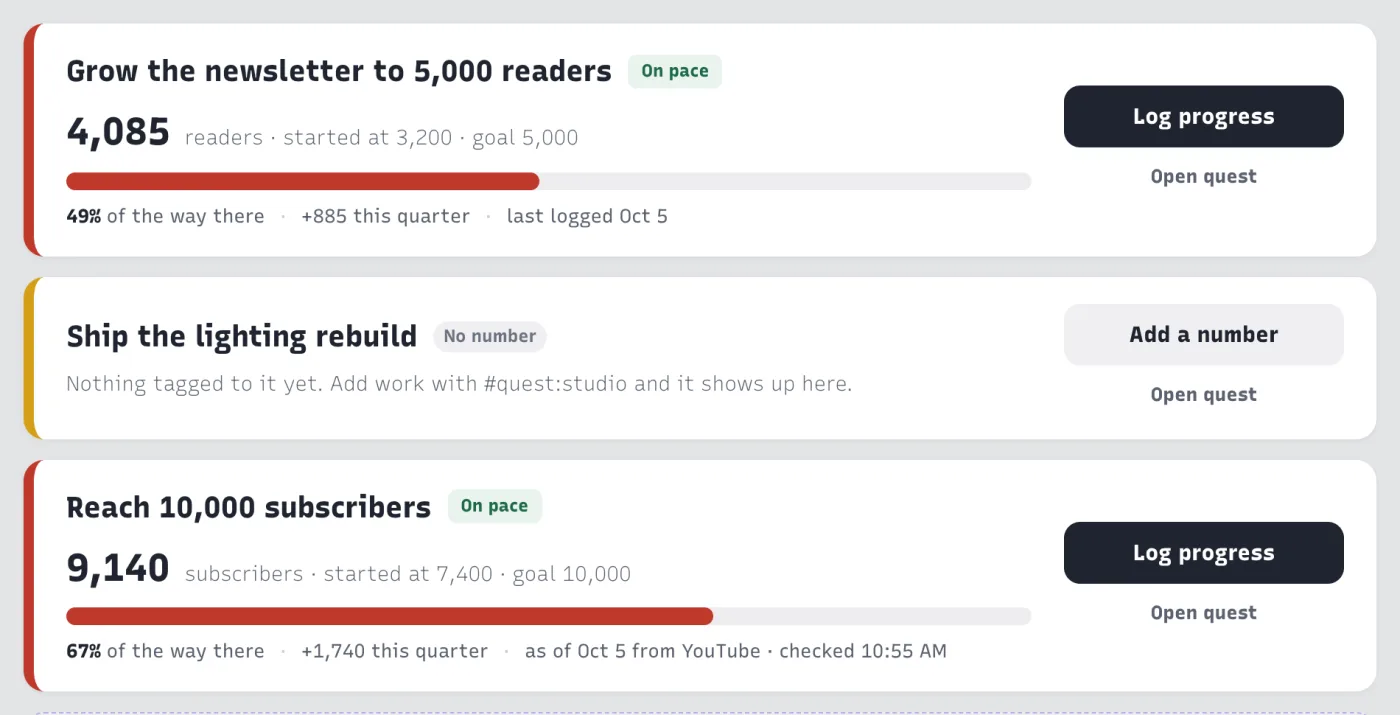
Pick a few things that matter this quarter. Each one shows how far along it is and what this week does for it.
Set a target per week; hit it and the week counts, and a missed Tuesday costs nothing.

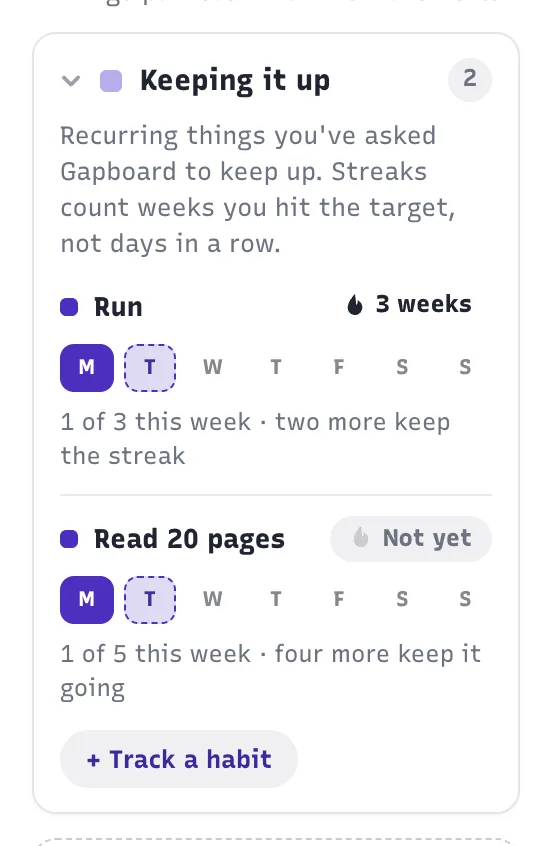
Work in spurts that fit the day; each one ends with a one-line note, so the next session starts where you stopped.


Time-blocking tools turn your week into a timetable you then have to defend. Gapboard sizes work instead of scheduling it. A day holds what it holds; inside it, you take things in whatever order the day actually goes.
So had I. This one folds, never hides — every section keeps its count, so nothing goes quiet on you.
No. Meetings are entered as a total per day, so the board knows how much room is left without you defending a timetable. Calendar import is planned.
Never. Cards have sizes, not slots. Inside a day you take things in whatever order the day goes.
It was built by someone with ADHD, for traits rather than a diagnosis: time blindness, losing trust in a tool, stalling on big or vague tasks, all-or-nothing streaks. It isn't a medical product.
Free is the whole board, every week, with up to 3 projects, 3 habits and 1 quarterly quest at a time. Plus adds notifications, unlimited projects and habits, a full quarter of quests, the Apple Health and YouTube Analytics integrations, the retro looks and accent colours.
Upgrade at app.gapboard.app in any browser. Plus works everywhere the moment you have it, including the iPhone app.
Nothing is deleted. Free limits only stop new projects, habits or quests being made beyond the free counts.
Yes. Your whole board exports as one plain JSON file, on every plan, any time.
The web app works in any modern browser, including Android's. A native Android app is on the way.
No. One private board per person.
Yes. Sign-in is an emailed code, so there is no password to leak, and nobody else can read your board.
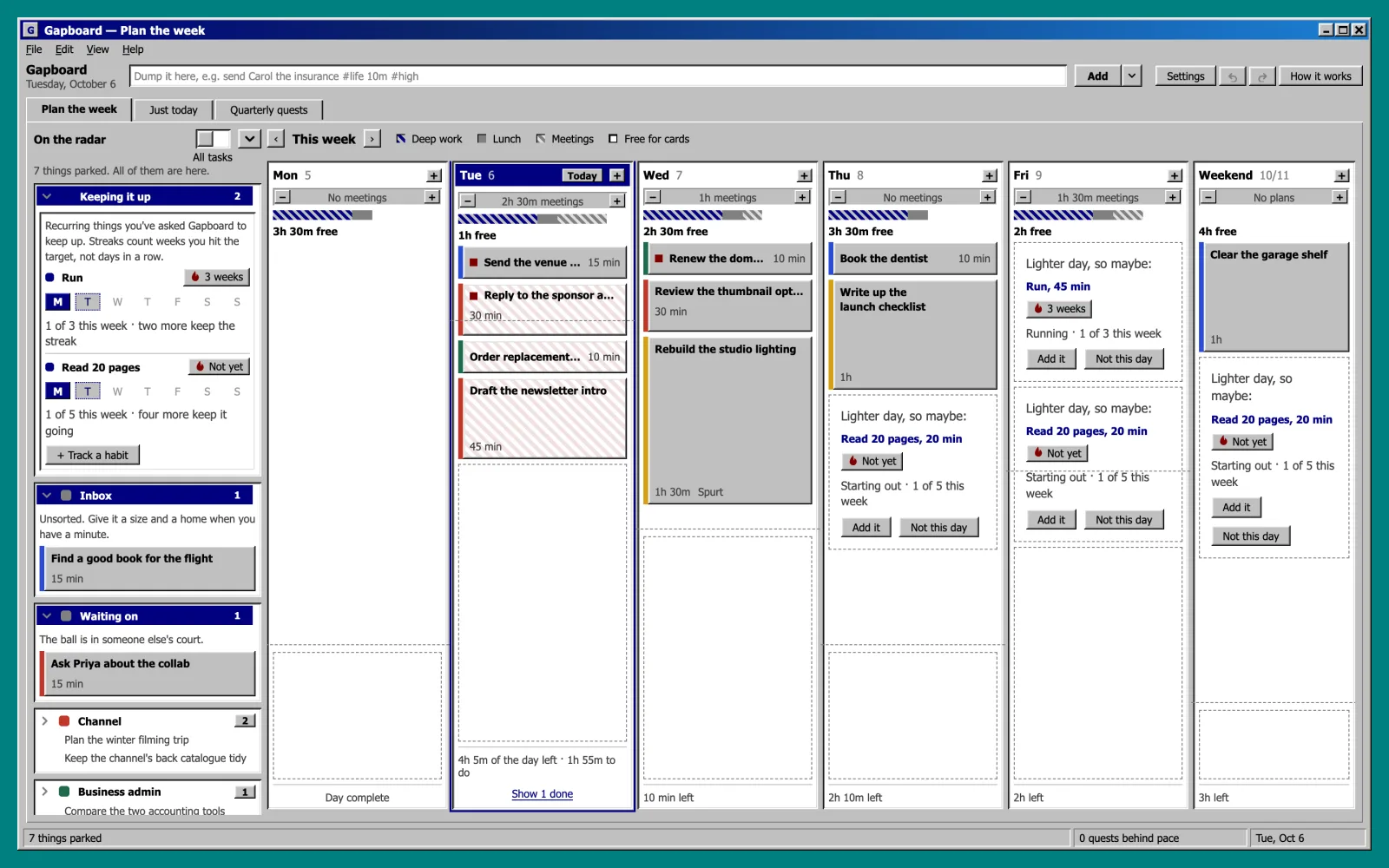
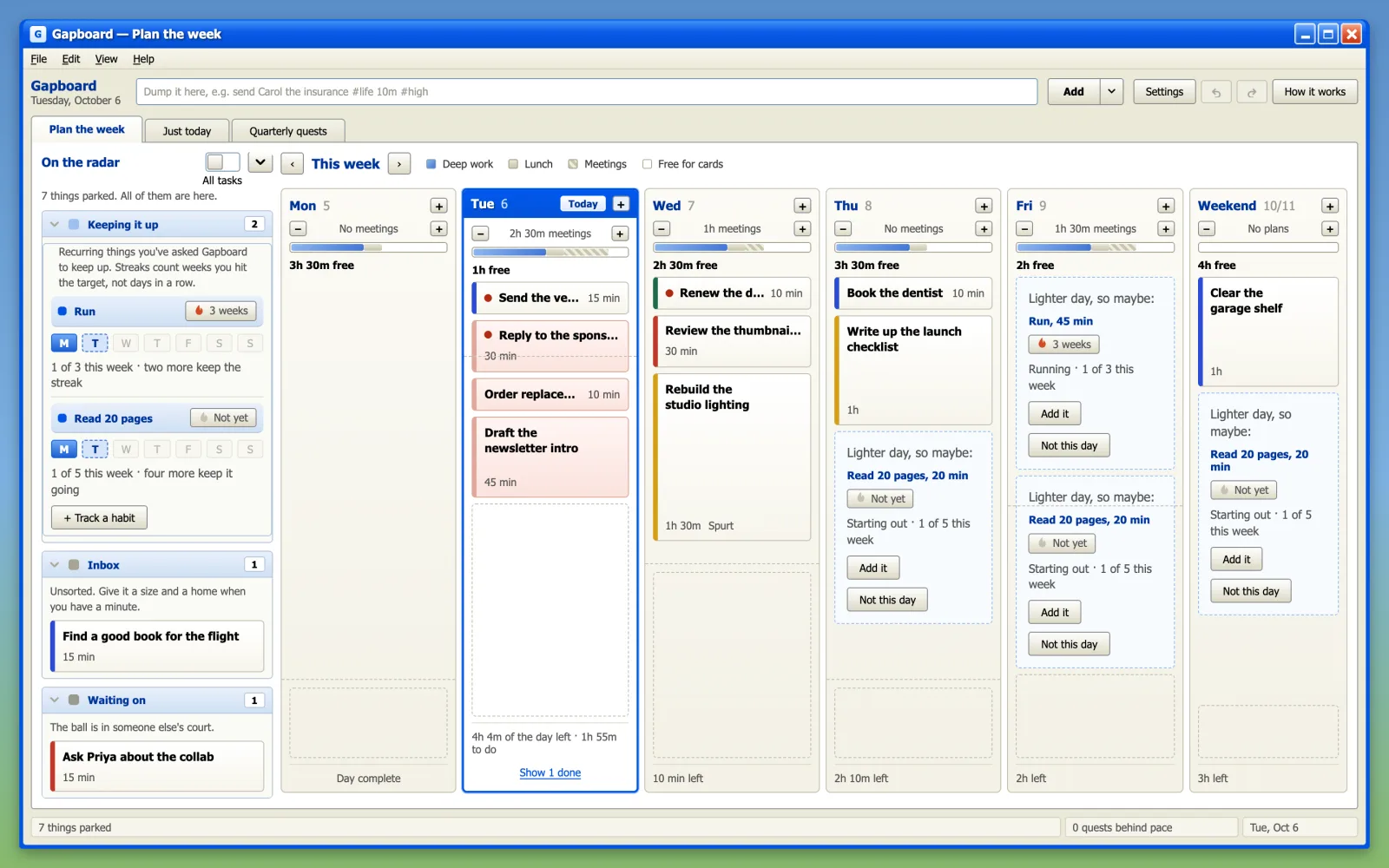
Your board in 98 or XP style, or in a colour of your own. Same Gapboard, more you.
Founding price. Goes to $48 once calendar import and Android ship.
Choose yearlyFounding price for the first 200. $129 after that.
First 200 only Get lifetimePrices in US dollars. In Canada, checkout shows Canadian prices, plus GST/HST.
Make your free account first — upgrading is one button in Settings → Account.
Cancel any time. Downgrading never deletes anything, and your board exports as one plain file on every plan.
Say no on Monday, instead of apologising on Thursday. Stop re-deciding the same work. Let the board remember, and spend your attention on the thing you opened it for.
Start your week — free